
Pages Tracker — see which pages truly matter
The Pages Tracker section in WPMC Behavior & Heatmap helps you instantly see which pages attract visitors, how they find them, and how users behave once they’re there. Everything is collected automatically and displayed in clear, sortable tables — directly inside your WordPress dashboard.
🔍 What You Can Learn
- Views & Unique Users: total and unique visits for each page or post — identify what content gets the most attention.
- Traffic Sources: breakdown by Direct, Internal, and External visits — understand how users arrive and move through your site.
- Clicks & Navigation: see which pages trigger more clicks, calls to action, or navigation events — valuable for testing layouts and CTAs.
- Conversions: measure engagement or goal actions (for example, form submissions or link clicks).
⚙️ Powerful Filtering
Use the filter bar at the top to narrow your results:
- Page Type: limit analytics to specific post types (pages, posts, or custom types).
- Taxonomy & Term: analyze only a specific category, tag, or custom taxonomy term.
- Date Range: set any custom period to study trends or campaign performance.
- Search Field: quickly find a specific page by title or keyword.
Tip: if you don’t see certain records, check your Settings page to ensure their post types are enabled for tracking.
📊 Insights at a Glance
Each row gives you complete context for a page:
- Details: opens a full Page Analysis view with heatmap, scroll depth, click density, and session charts.
- Sources: shows exactly where the traffic came from — Google, Bing, Facebook, or other referrers.
- Reset: permanently deletes all collected data for that specific page, including views, clicks, and heatmap records. Use this when you want to clear old data or start fresh after redesigning a page.
From this list, you can jump directly to a detailed page analysis for any record.
There you’ll find advanced charts, user behavior maps, and session summaries — giving you a deeper look at how visitors interact with that particular page.
💡 Why It’s Better Than External Tools
- Real on-site data: works directly from your WordPress front-end, so every page is tracked — even custom post types or plugin-generated content.
- No sampling or delay: you see the real numbers, not estimates.
- Privacy first: no cookies, no third-party tracking, full data ownership.
- Instant feedback: check engagement results right after publishing new content or making design changes.
The Pages Tracker helps you discover which pages get attention, what drives clicks, and how users move through your site. With one click on “Details,” you can explore a deep, page-level analysis with heatmaps and user activity — or use “Reset” to wipe data for a clean start anytime.
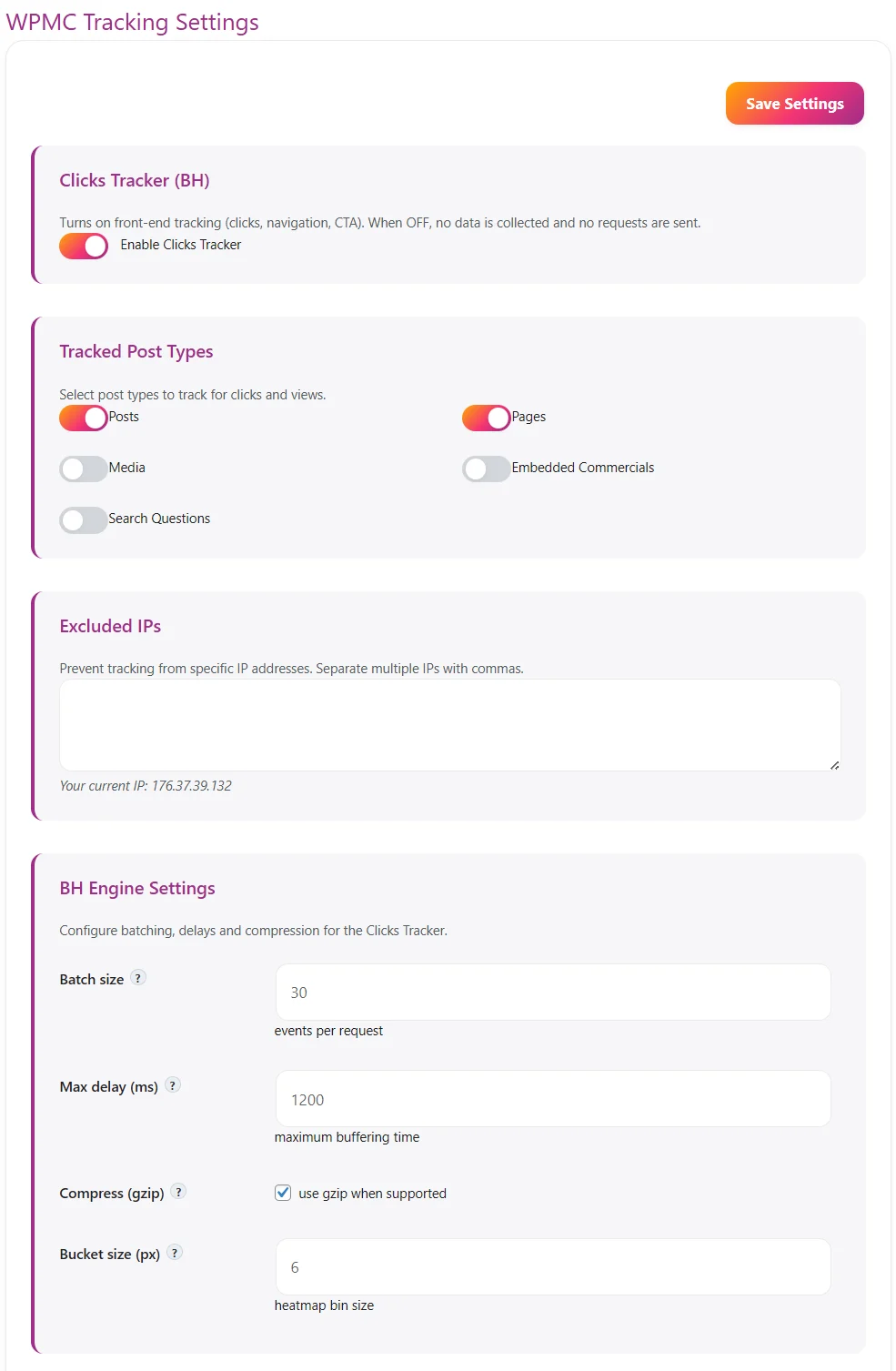
Dark & Light Theme – comfort for your eyes and workflow

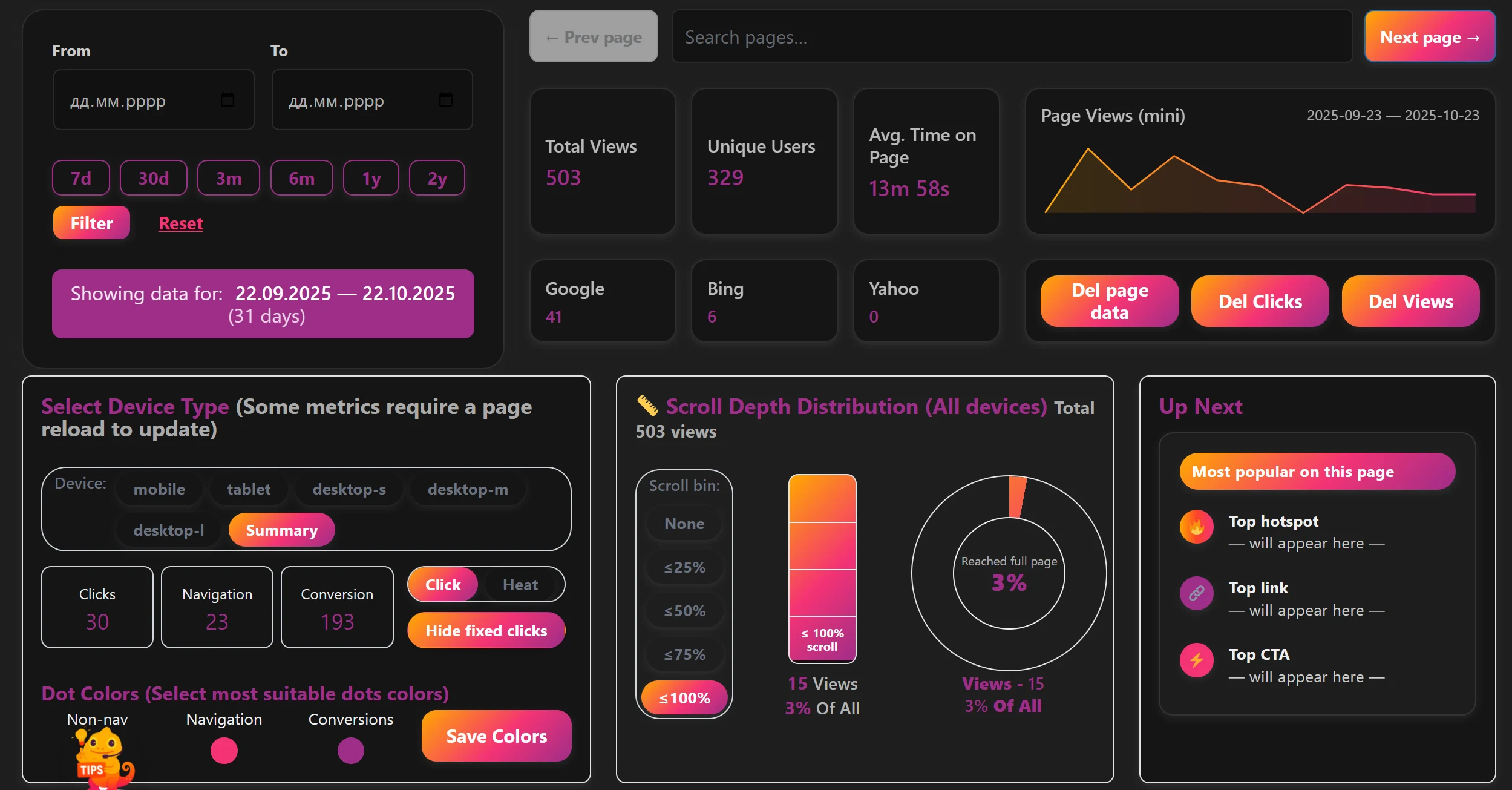
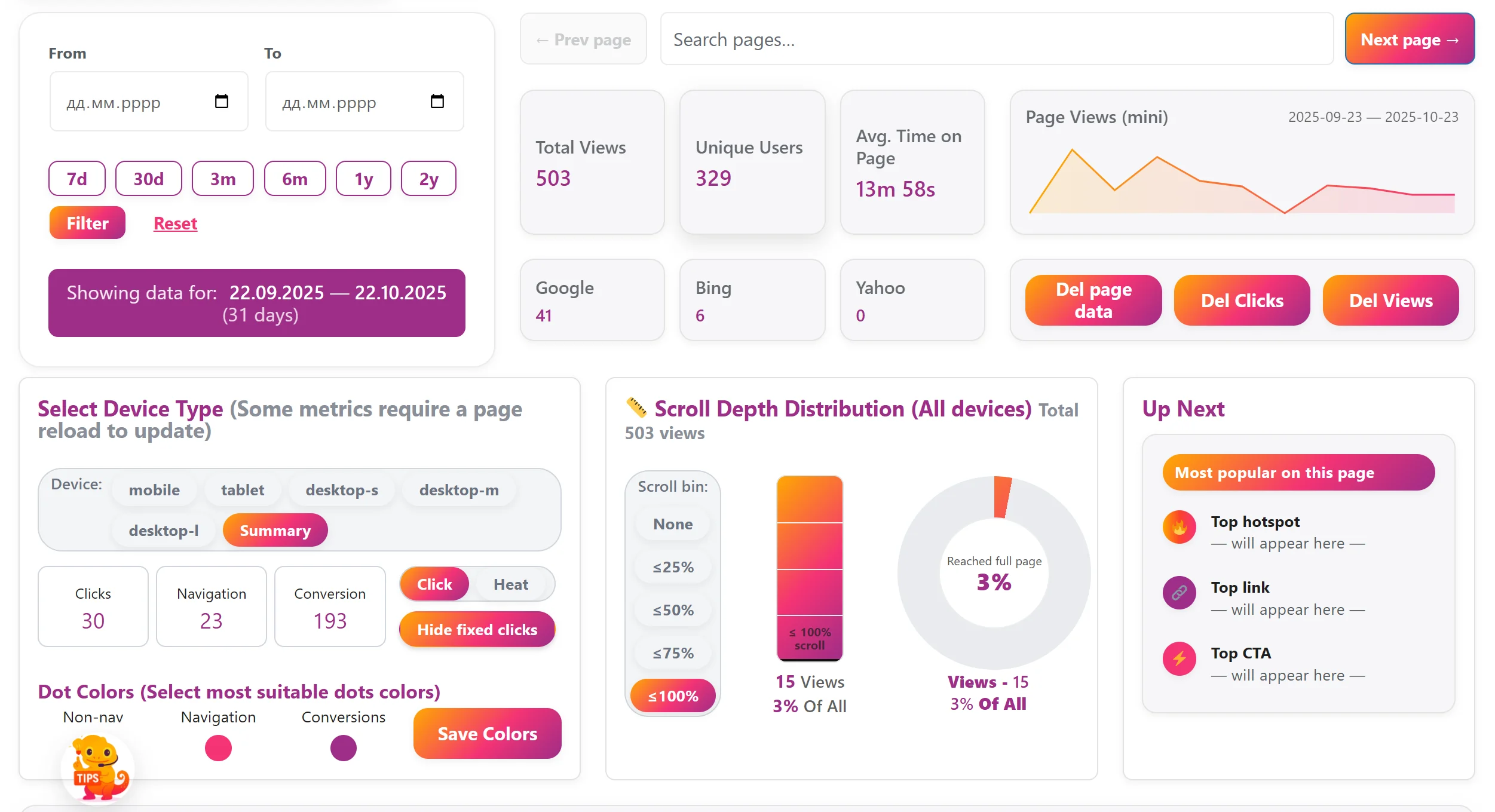
We know how important it is to feel comfortable while you work. That’s why WPMC Behavior & Heatmap supports both Dark and Light themes. Whether you’re analyzing user clicks late at night or checking your site’s behavior during the day — you can choose the look that fits your environment. T…
Statistics — detailed insights made for WordPress
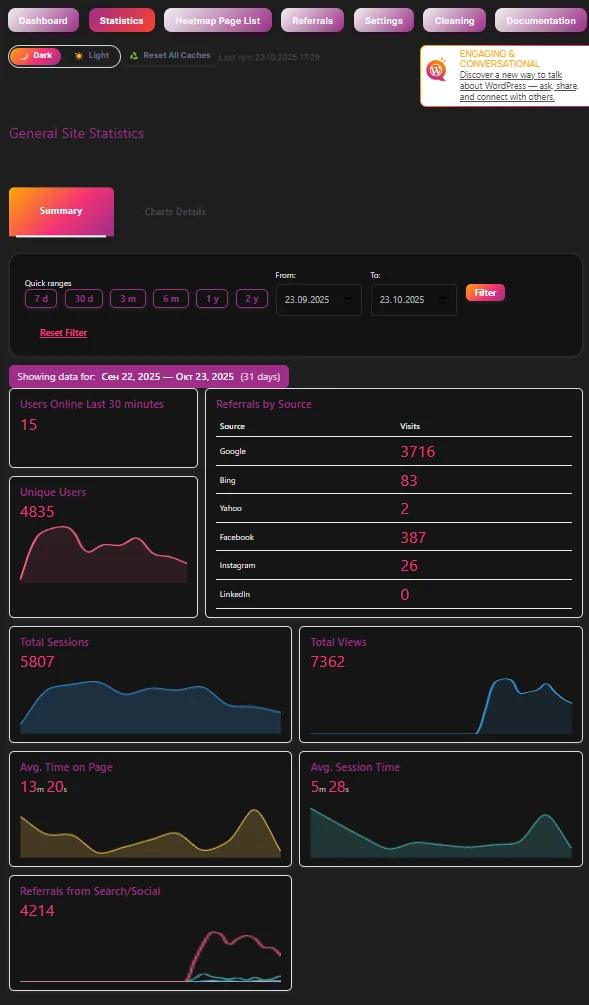
The Statistics section is the heart of WPMC Behavior & Heatmap. Explore how visitors use your site directly inside WordPress — no external tracking, no third-party scripts. 📅 Smart Filters and Date Ranges Quick ranges: 7d, 30d, 3m, 6m, 1y, 2y for instant switching. Custom rang…
♻️ Reset All Caches – clean start in one click

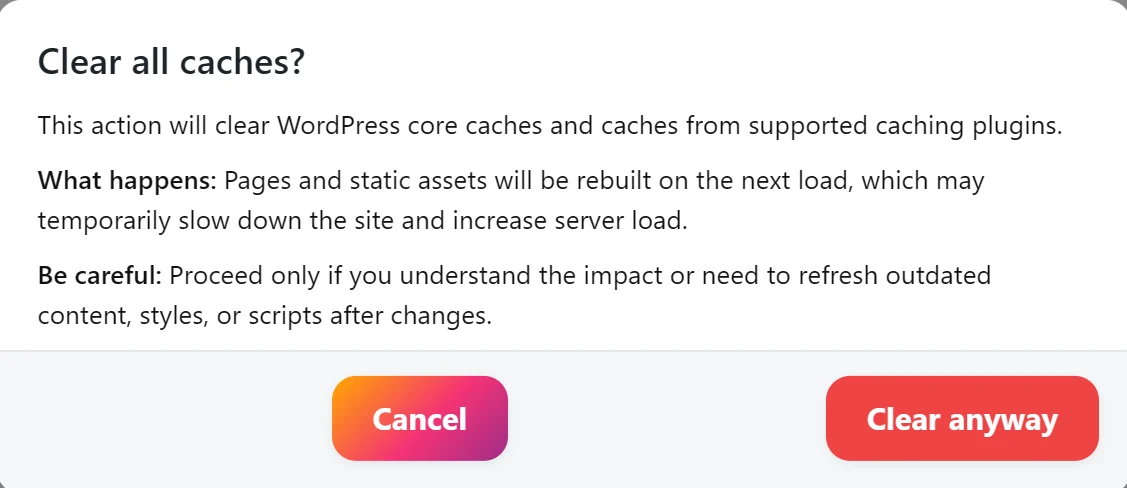
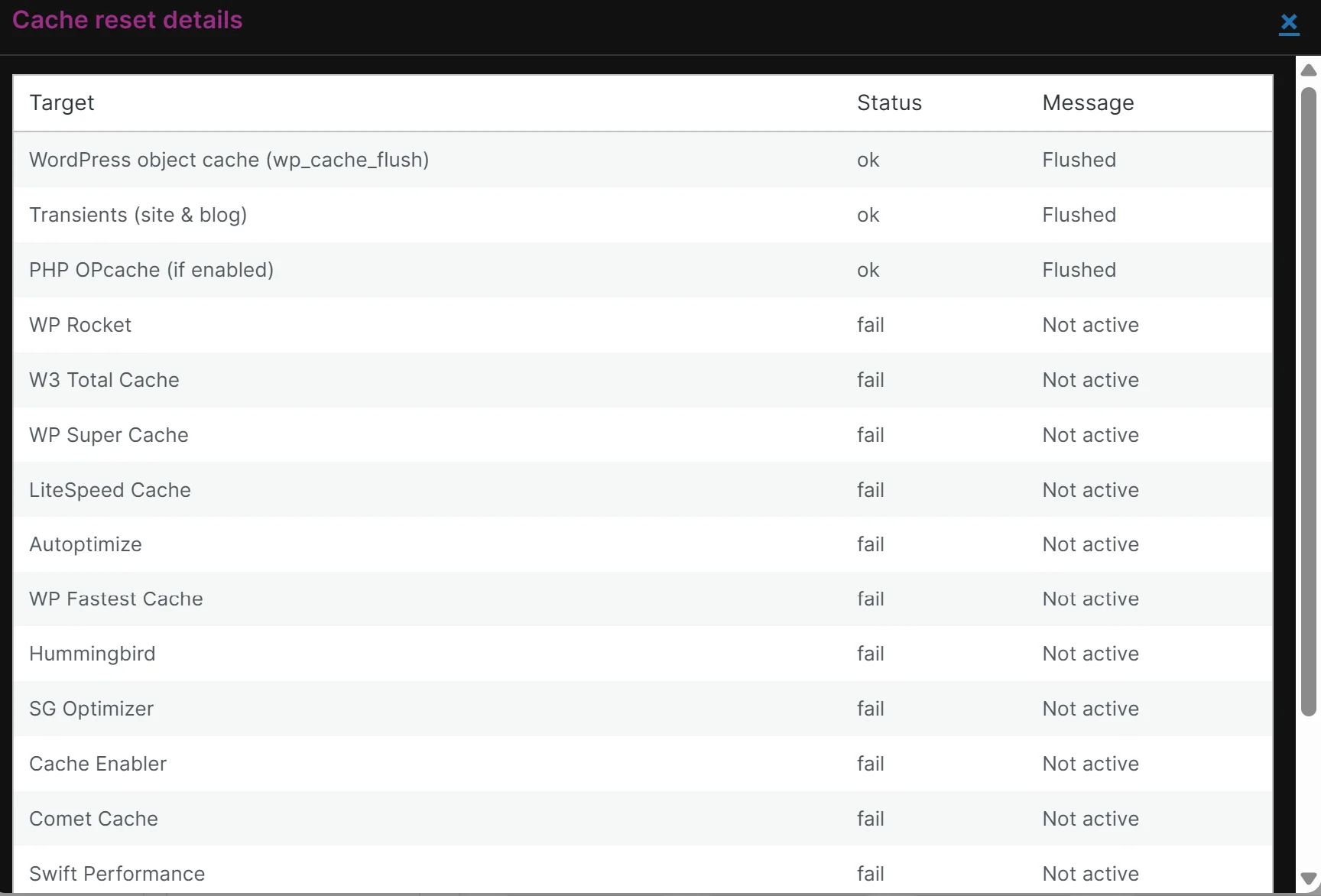
Keeping your data fresh is essential when you analyze user behavior. That’s why WPMC Behavior & Heatmap includes a powerful Reset All Caches button. With just one click, you can instantly clear all major WordPress cache layers — no need to open different plugin settings or server panels. Here’…
Leave a Comment
Comments